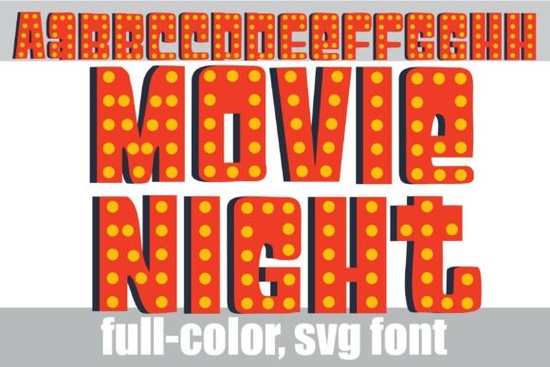
Typography sets the tone before a single image loads. If you want your designs to mimic the bright, nostalgic glow of a classic cinema marquee, the Movie Night Font offers a direct solution. This OpenType-SVG display typeface comes pre-colored with an orange-red base, deep 3D shadow lines, and yellow lightbulb details built right into the letterforms. Instead of manually adding drop shadows and lighting effects in Illustrator or Photoshop, designers and small business owners can simply type and scale. It bridges the gap between vintage golden-age theater signs and modern entertainment branding, making it highly practical for quick turnarounds. Whether you are designing a flyer for a local event or creating digital assets for a client, having a typeface with baked-in lighting effects saves hours of tedious vector work.
What projects work best with this retro cinema style?
Because of its ultra-heavy structural footprint, this typeface is not meant for body copy. It shines when used for short, high-impact text. Independent filmmakers often use it for festival layout titles or boutique theater production flyers. If you manage a media streaming channel, it works perfectly for YouTube headers and video thumbnails. It also serves well when you need an eye-catching aesthetic that differs from standard flat designs. Small businesses hosting special events, like trivia nights or product launches, can use this loud presence to grab attention on social media titles. For those looking to pair it with something slightly more relaxed for a seasonal campaign, checking out other colorful typographic options designed for warmer weather can help you build a versatile font library.
How do you install and use full-color SVG fonts?
Working with full-color fonts requires a slightly different approach than standard TrueType files. Since this typeface is an OpenType-SVG, the colors and lightbulb details are baked into the font file itself.
- Software compatibility: You will get the best results using Adobe Illustrator (CC 2018 or newer), Photoshop (CC 2017 or newer), or InDesign (CC 2019 or newer). These programs natively read the color data.
- Fallback versions: If your design software does not support color fonts, or if you are using an older crafting machine software, you can still use the included standard black-and-white version. This allows you to apply your own colors and effects manually.
- Scaling: Because it is vector-based, you can scale the letters from a small digital icon to a massive billboard without losing any edge sharpness.
When setting up your workspace, remember to review the technical specifications for this cinematic typeface to ensure your export settings preserve the color data. Using the right software ensures you actually see those brilliant yellow marquee bulbs instead of just a flat shape.
Can I use marquee typography for print-on-demand products?
Print-on-demand sellers and crafters can definitely leverage this heavy block lettering for physical merchandise. The built-in 3D depth and lighting effects create an illusion of texture that prints beautifully on flat surfaces.
- Apparel: Keep the text short, like Indie Film Fest or Midnight Screening. The thick letters ensure readability from a distance on t-shirts and hoodies. Screen printers will appreciate the bold lines and clear separation between colors.
- Posters and Art Prints: The orange-red and yellow color palette naturally pops against dark backgrounds. Try placing it over a dark navy or black background to make the marquee bulbs look like they are actually glowing in a dark room.
- Stickers and Decals: Die-cut stickers featuring just a single, brightly colored initial can be a quick addition to an online shop inventory. Creative hobbyists can also use the standard version with vinyl cutters to create multi-layered wooden signs.
How should you prepare your file for final export?
Before finalizing your project, run through a quick quality check to ensure the typography looks its best.
- Check background contrast: Place the text on a background that doesn't clash with the orange-red base. Dark colors usually work best to highlight the bright yellow bulbs.
- Limit your word count: Stick to one to three words. The ultra-heavy weight will become unreadable in longer sentences, so rely on a simple sans-serif for your secondary text.
- Export correctly: Save your final files as high-resolution PDFs or PNGs to keep the vibrant color details intact, especially if you are sending the design to a professional printer.
Take a moment to test your layout on both mobile screens and desktop monitors to ensure the 3D depth translates well across all viewing sizes.
Get Started Howdy Summer Font: Free Download & Project Ideas
 The Farrell Font for Modern Designers & Creatives
 Drew Font for Creative Designs and Projects
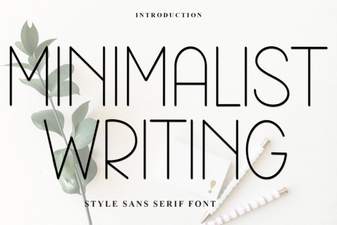 Minimalist Fonts for Clean and Impactful Design
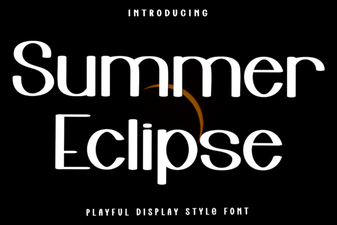 Summer Eclipse Font: Design Projects & Creative Uses
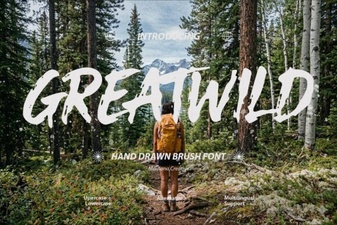 Greatwild Font Design Ideas & Download Guide